- Survey Data Analysis
- Crosstab Software
- SPSS
- Statistical Analysis Tools
- Charting Survey Results
- SPSS Data Analysis
- SurveyMonkey® Data Analysis
- MarketSight vs. SPSS
Client Success Stories
“MarketSight has a huge advantage over SPSS in crosstab
construction and user interface. On one of our projects, MarketSight
saved us 20 hours of backend analysis time.”

"Adopting a cost-effective system was important, but even more important
is the fact that I save time with MarketSight. The tool allows me to get
my job done more efficiently, and as part of a small group in a
fast-paced company, that's essential."
Watch a Demo | Join us for a Webinar | Start a Free 30-Day Trial | Pricing
Charting Survey Results with MarketSight
Once the analysis is complete and the stat tests are all run, it’s
time to present your findings in a way that visually conveys the key
findings. Charting Survey Results is often a
time-consuming and tedious part of the analysis and reporting for many
market research projects. It can be particularly challenging for large
tracking studies with many charts that have regularly updated data but
are essentially the same format.
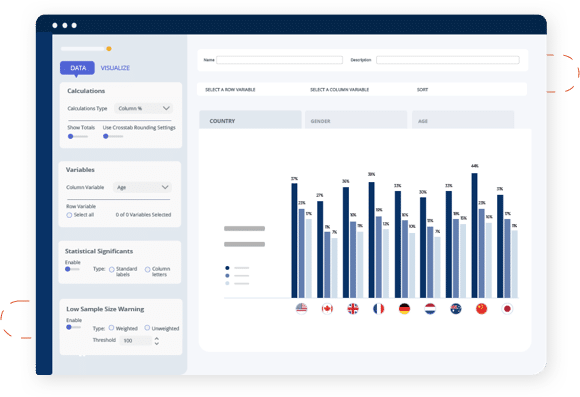
MarketSight Bar Chart
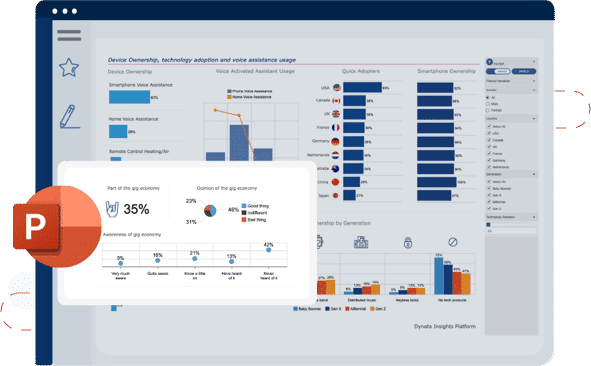
Wouldn’t it be easier to create your charts
once, export them whenever you want onto any one of several custom
PowerPoint templates that you design, and refresh them all at once,
automatically, whenever the data is updated?
We think that’s the way it should be done. With MarketSight, charting
survey results is much easier than with any other analysis and
reporting tool because your charts are all saved and you can export
them directly, as native PowerPoint charts, to any PowerPoint
template. You can upload as many templates as you want; you simply
choose the template you want when you export your charts from
MarketSight.
And, best of all, when you add new data to an existing
dataset in MarketSight, as with a tracking study or the case where you
have preliminary and final data, MarketSight automatically updates
every crosstab and chart so all you need to do is click export to get
a completely updated slide deck on your PowerPoint template.
You can
also copy crosstabs and charts from one dataset to another to save
time with analysis and reporting on datasets with common variables.
Charting survey results doesn’t get any easier than that!
Common Questions about Charting Survey Results
When exporting charts from MarketSight
is the data included with the chart or is it just an image file?MarketSight provides both types of exports – both as an image file (.emf) and as native PowerPoint and Excel files.
What types of charts does MarketSight produce?
MarketSight can produce Bar Charts, Column Charts, Pie Charts, and Line Charts. It can produce stacked and clustered versions of these charts as well as 2D and 3D versions of these charts. Since MarketSight exports charts complete with the underlying data to PowerPoint and Excel, you can choose any additional chart types in those applications.
Can I export charts from MarketSight to PowerPoint?
Yes, MarketSight can export charts to PowerPoint ‘97-’03 and PowerPoint 2007-2010.
Can I export MarketSight charts to Excel?
Yes, MarketSight exports charts to Excel ’97-’03 and Excel 2007-2010.
Can I upload and store PowerPoint Templates in MarketSight so I can export charts directly to my corporate template or my clients’ templates?
Absolutely. You can upload and store as many templates as you want in MarketSight. You simply choose the one you want when you’re exporting your charts and all the formatting in that template, including fonts, colors, logos, headers & footers, etc. plus all chart options will be applied to your new presentation.
Is there a limit to the number of charts that I can create in MarketSight?
There is no limit to the number of charts that can be created in MarketSight.